TFT Display
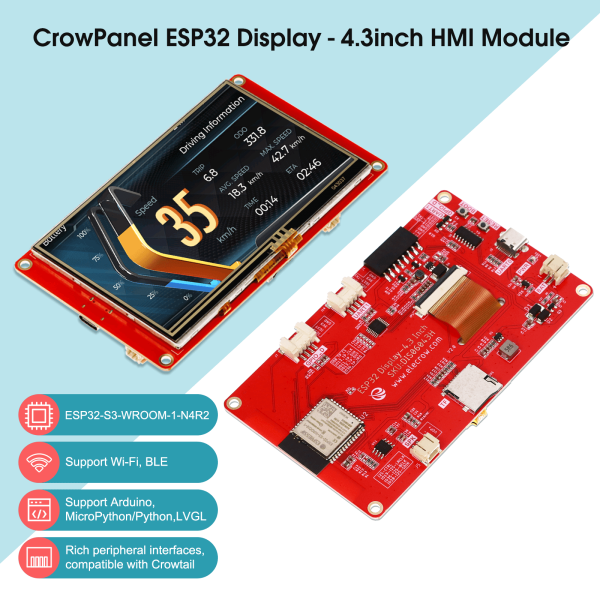
Overview
Color TFT display for rich data visualization including charts and graphs.
Specifications
| Parameter | Value |
|---|---|
| Model | |
| Type | Color TFT LCD |
| Resolution | (e.g., 128x160, 240x320) |
| Interface | SPI |
| Controller | (e.g., ST7735, ILI9341) |
| Operating Voltage | 3.3V |
| Colors | 16-bit (65K colors) |
Pinout
| Pin | Function | ESP32 Connection |
|---|---|---|
| VCC | Power | 3.3V |
| GND | Ground | GND |
| SCK | SPI Clock | GPIO18 |
| MISO | SPI MISO | GPIO19 |
| MOSI | SPI MOSI | GPIO23 |
| CS | Chip Select | GPIO5 |
| DC | Data/Command | |
| RST | Reset | |
| LED | Backlight | 3.3V (or PWM) |
Wiring Diagram
TFT Display      ESP32
-----------      -----
VCC        -->   3.3V
GND        -->   GND
SCK        -->   GPIO18
MISO       -->   GPIO19
MOSI       -->   GPIO23
CS         -->   GPIO5
DC         -->   <!-- TODO: Add -->
RST        -->   <!-- TODO: Add -->
LED        -->   3.3V (or PWM)
Required Libraries
Common options: - Adafruit_ST7735 or Adafruit_ILI9341 - TFT_eSPI (recommended)
Code Example
Basic Test
// TODO: Add actual library and code from source file

#include <SPI.h>

void setup() {
  Serial.begin(115200);

  // TODO: Add display initialization

  Serial.println("TFT initialized");
}

void loop() {
  // TODO: Add display test code

  delay(1000);
}
Display Sensor Data
Testing
Verification Steps
- Upload test code
- Check for initialization messages in Serial Monitor
- Verify display shows test pattern or text
Troubleshooting
| Issue | Solution |
|---|---|
| White/black screen | Check initialization sequence, verify SPI connections |
| Colors wrong | Verify correct driver chip selection |
| Flickering | Check power supply, add capacitor near VCC/GND |
| Slow refresh | Optimize code, reduce color depth |
Next Steps
- Integrate with LCD Display for dual display
- Display sensor data
- Proceed to full integration